Alert Module

The Alerts module in Cybersuite X keeps you informed about importantbuilding-wide notifications, maintenance updates, security alerts, and otherannouncements.

Alerts Module

Steps to View and Manage Alerts

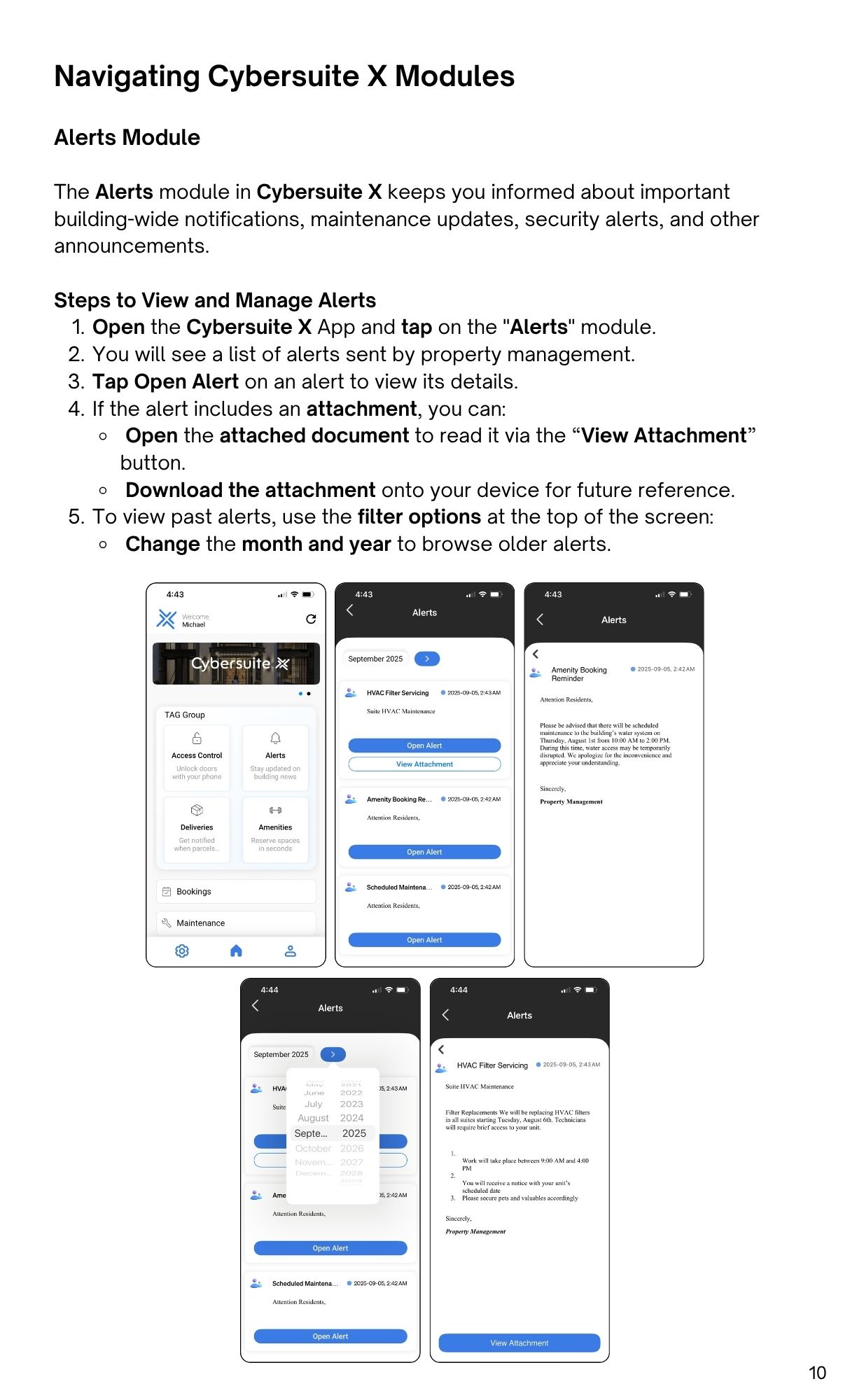
  1. Open the Cybersuite X App and tap on the "Alerts" module.
  2. You will see a list of alerts sent by property management.
  3. Tap Open Alert on an alert to view its details.
  4. If the alert includes an attachment, you can:
    • Open the attached document to read it via the “View Attachment
      button.
    • Download the attachment onto your device for future reference.
  5. To view past alerts, use the filter options at the top of the screen:
    • Change the month and year to browse older alerts.