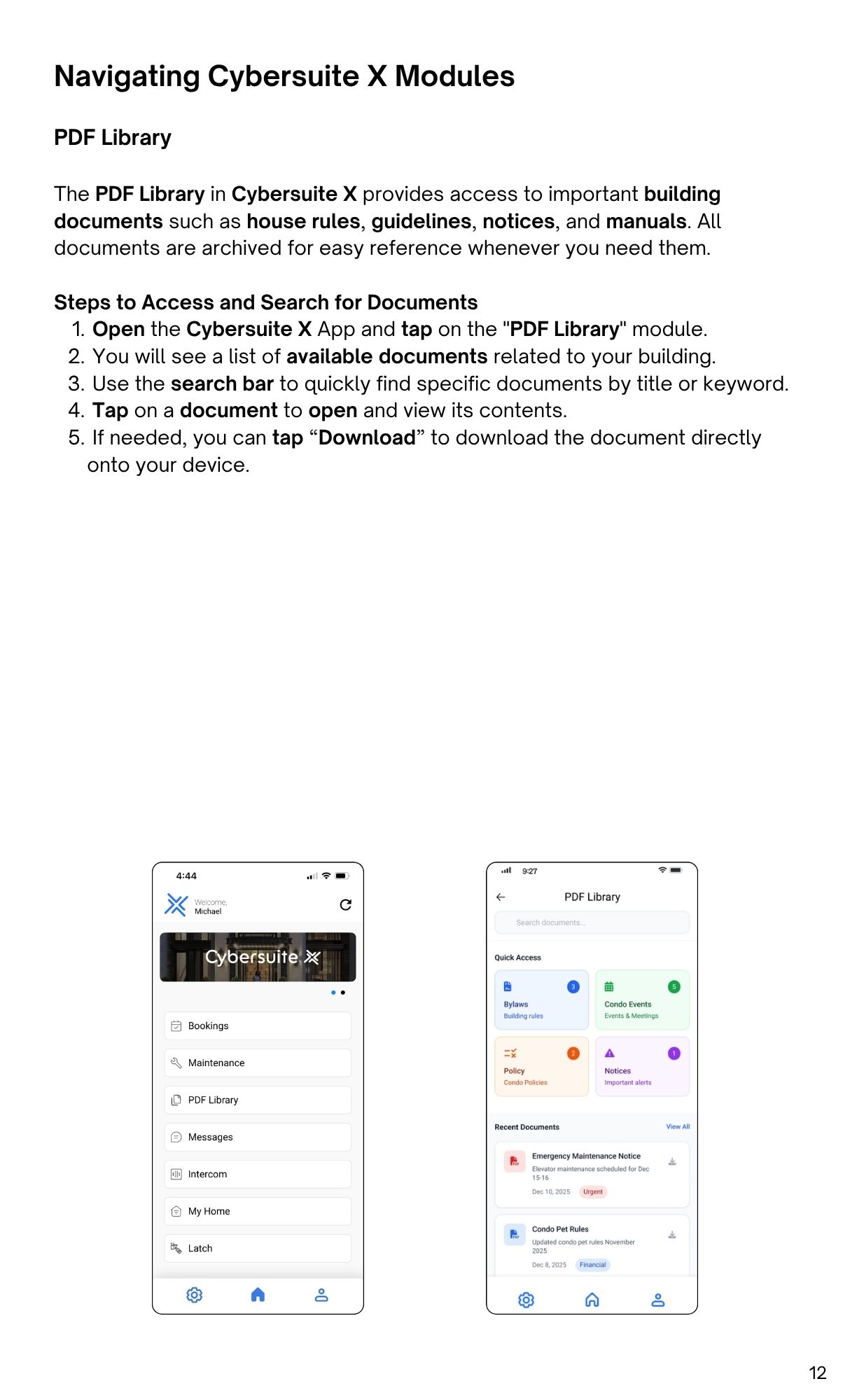
The PDF Library in Cybersuite X provides access to important building
documents such as house rules, guidelines, notices, and manuals. Alldocuments are archived for easy reference whenever you need them.
Steps to Access and Search for Documents

Streamline operations, boost productivity, and drive innovation with our all-in-one platform.